Uninstall DoxWave
Follow the steps below to remove DoxWave from your computer.
1
Step 1
Open Add/Remove Programs
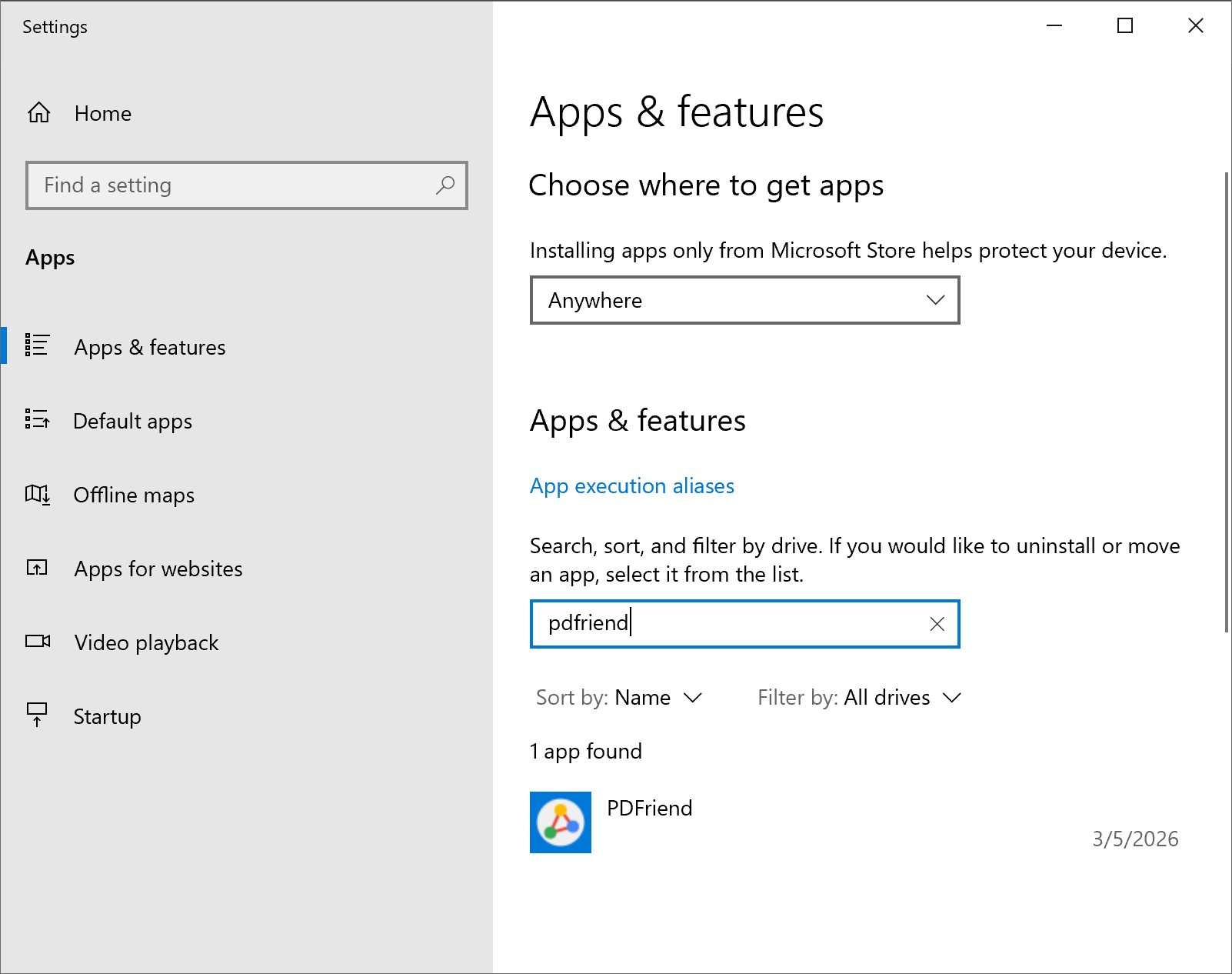
Open Windows Settings, navigate to Apps & features, and find DoxWave in the list of installed applications.
2
Step 2
Select DoxWave
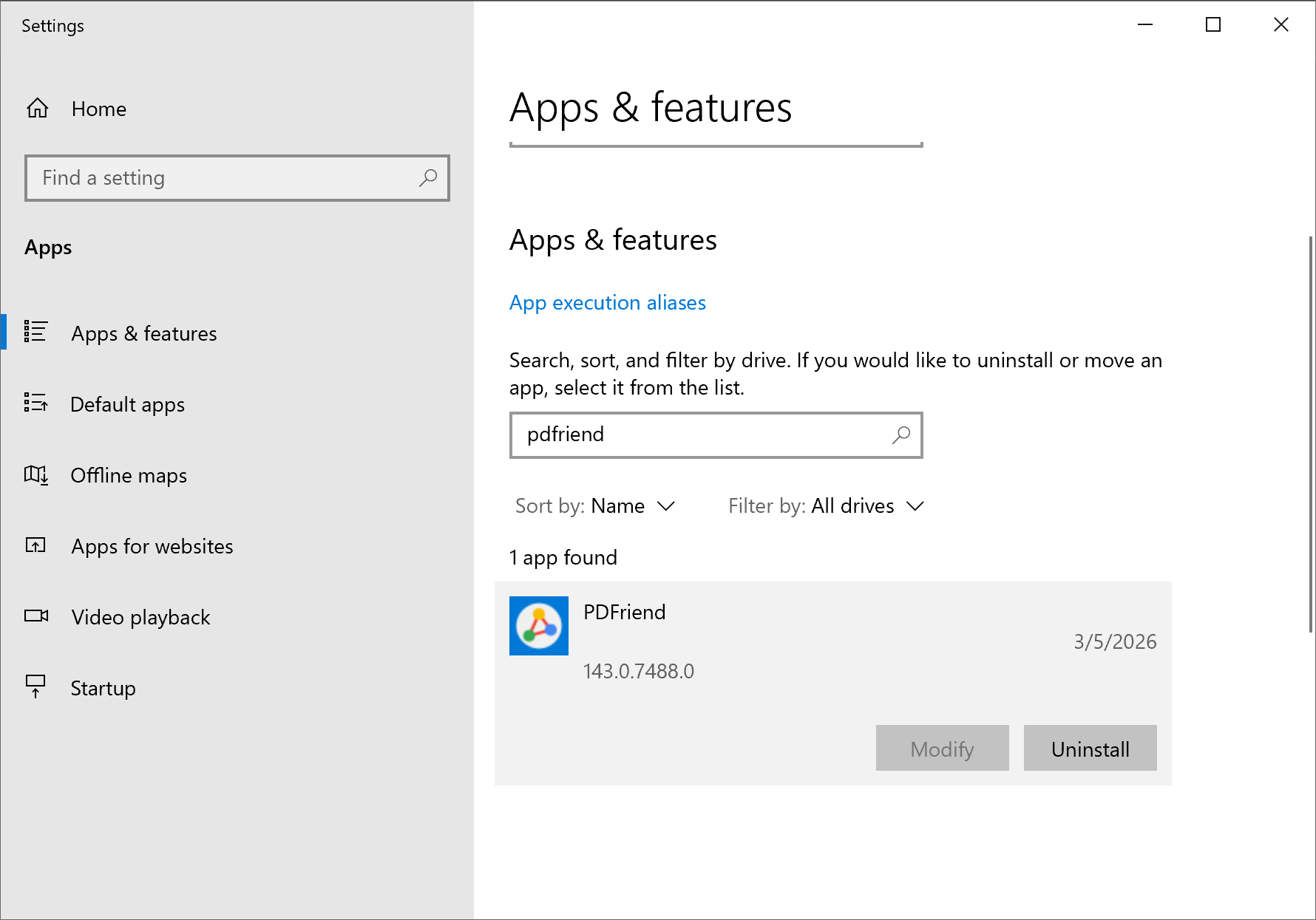
Click on the DoxWave entry to select it, then click the Uninstall button that appears.
3
Step 3
Confirm Uninstallation
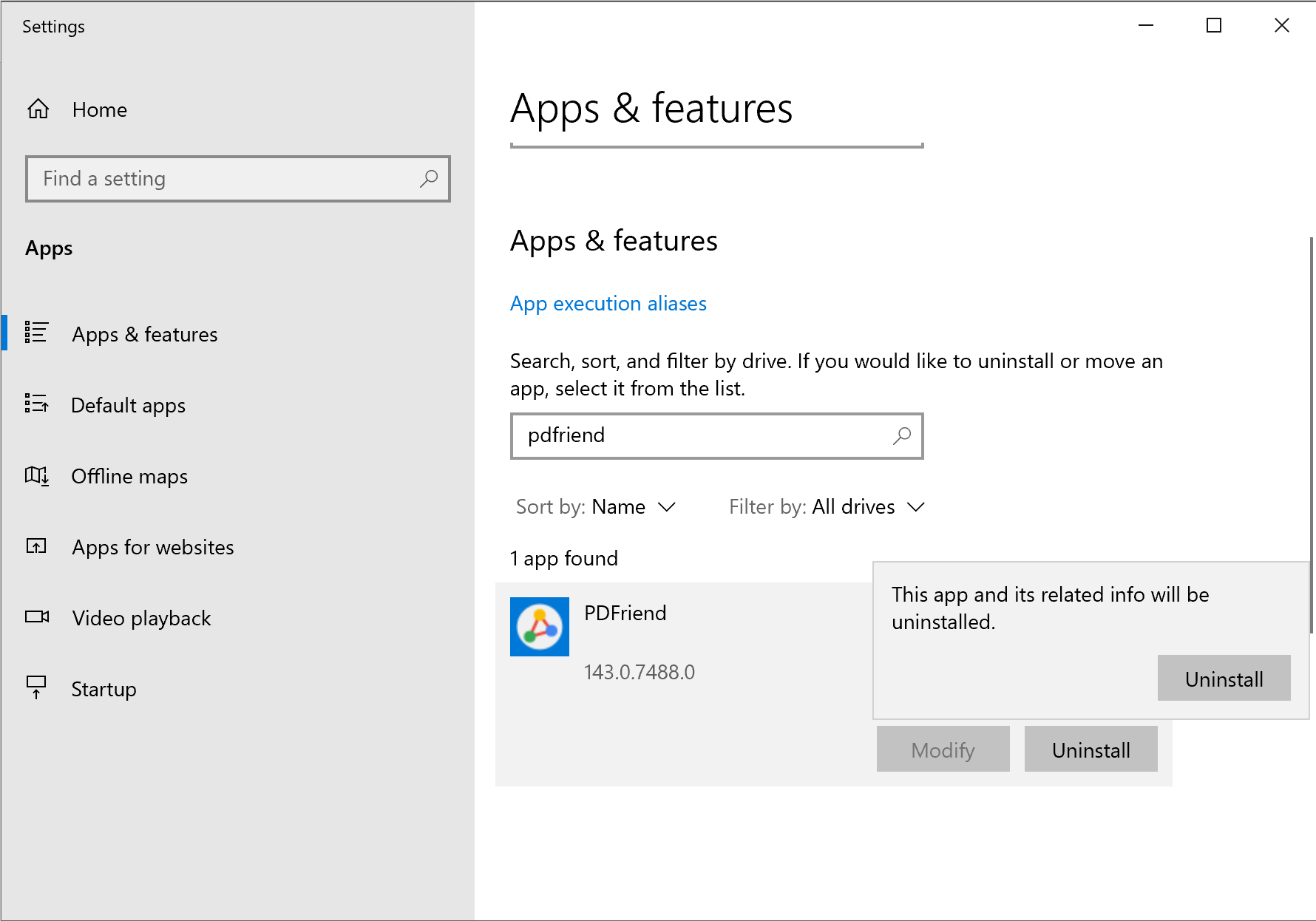
A confirmation dialog will appear. Click Uninstall to confirm the removal.
4
Step 4
Choose Browsing Data Options
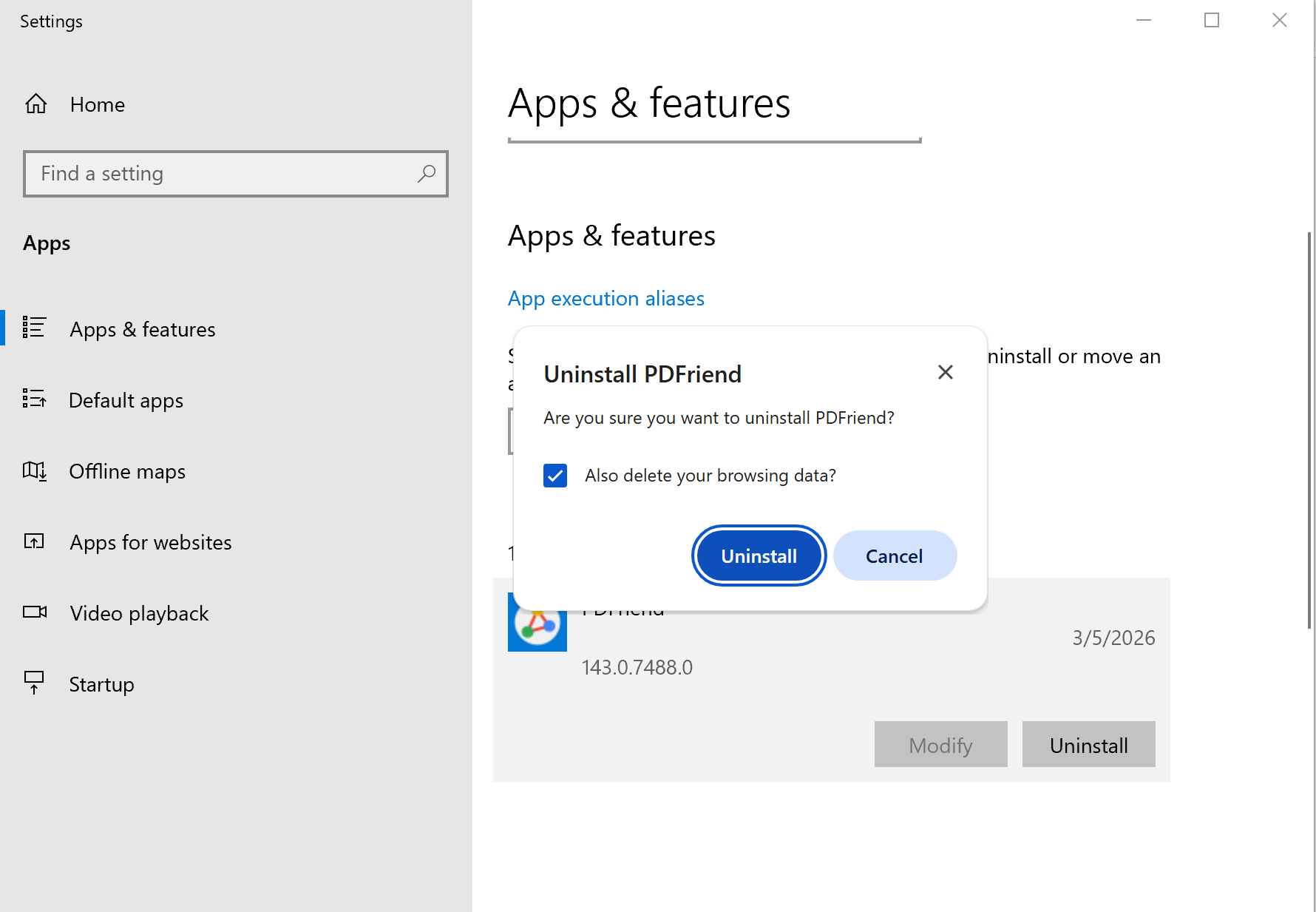
In the final popup, choose whether to keep or remove your browsing data. Check "Also delete your browsing data" if you want a clean removal, then click Uninstall.
Sorry to see you go
If something wasn't working right, we'd love to hear about it. Your feedback helps us improve DoxWave for everyone.